
Ask your treasury a question
OmniFi connects the AI assistants your organisation already uses to live data from your TMS, ERP, banks and market data — through the same endpoints, permissions and controls that govern your reports today.
AI is only as useful as the data it can reach
Most treasury data sits in systems that were never built to talk to AI: a TMS, an ERP, bank portals, market data feeds. So the questions that matter — exposure by entity, what moved since month-end, which counterparties are close to a limit — still turn into an export, a spreadsheet or a reporting request.
And giving an AI assistant direct access to a treasury system is not something a security team will sign off. What treasury needs is AI that works through the controls it already has.
If any of these sound familiar, OmniFi was built for you:
Ask in plain language
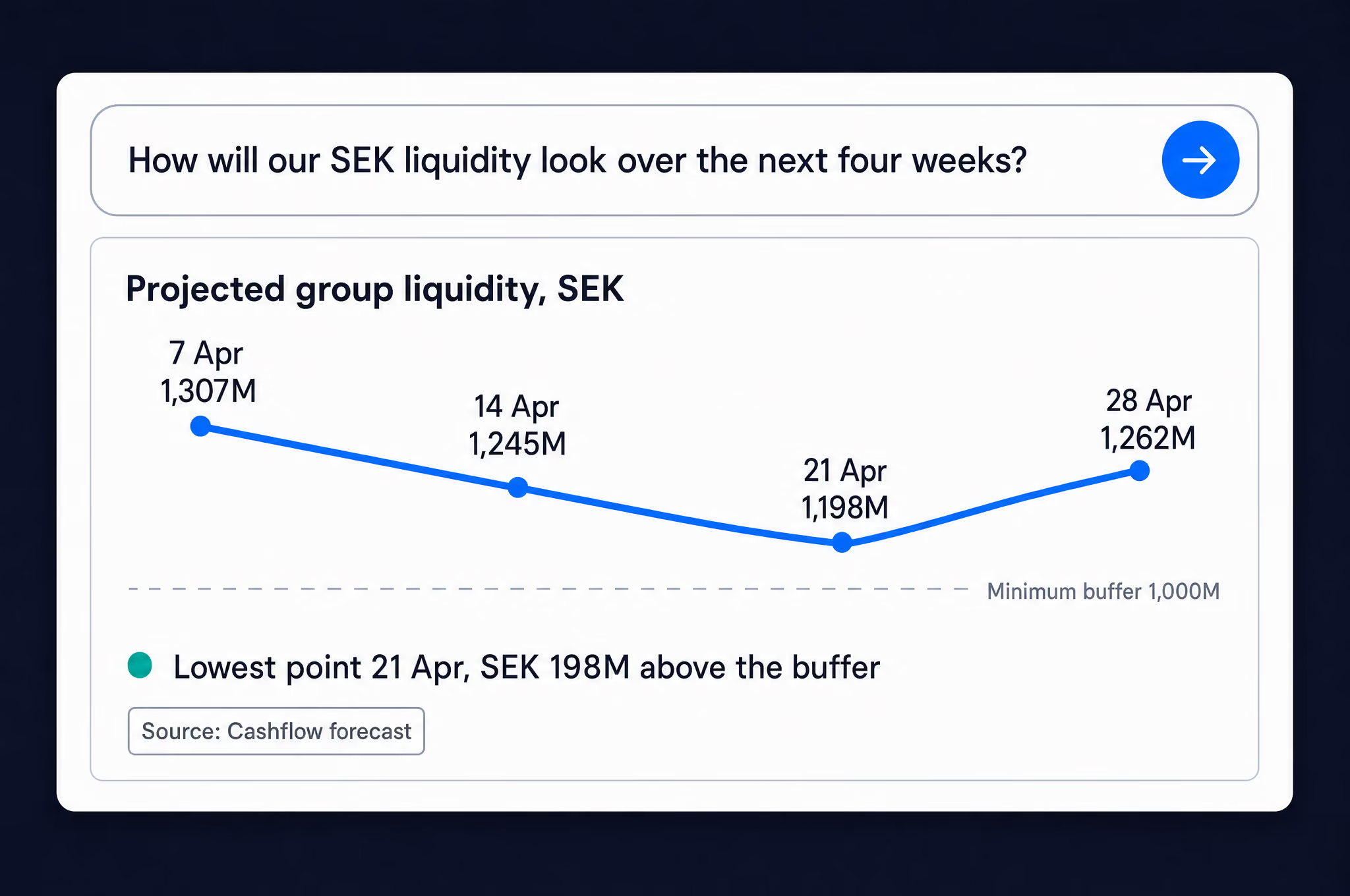
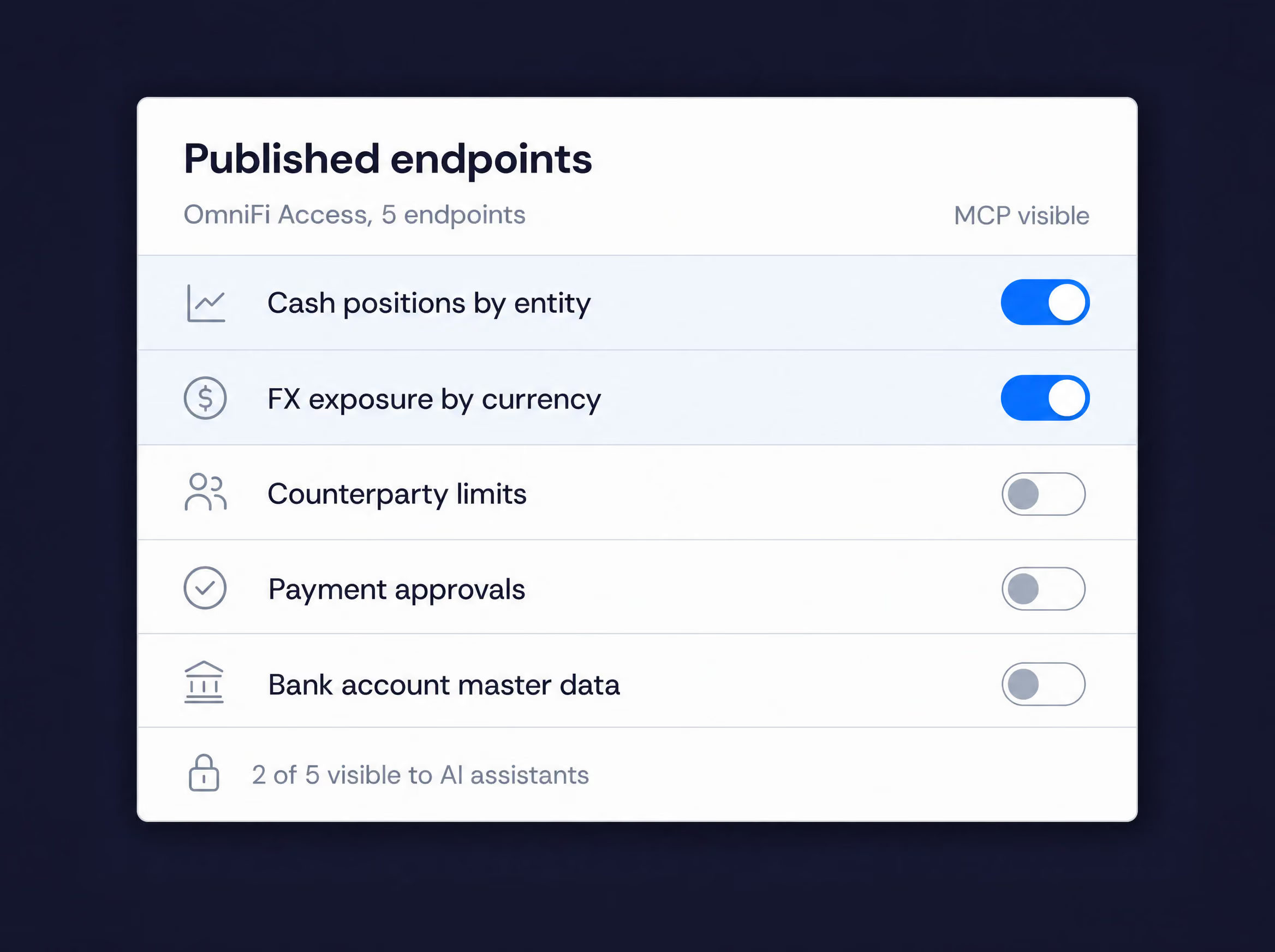
Your model. Your data.
Governed by the access you already have.
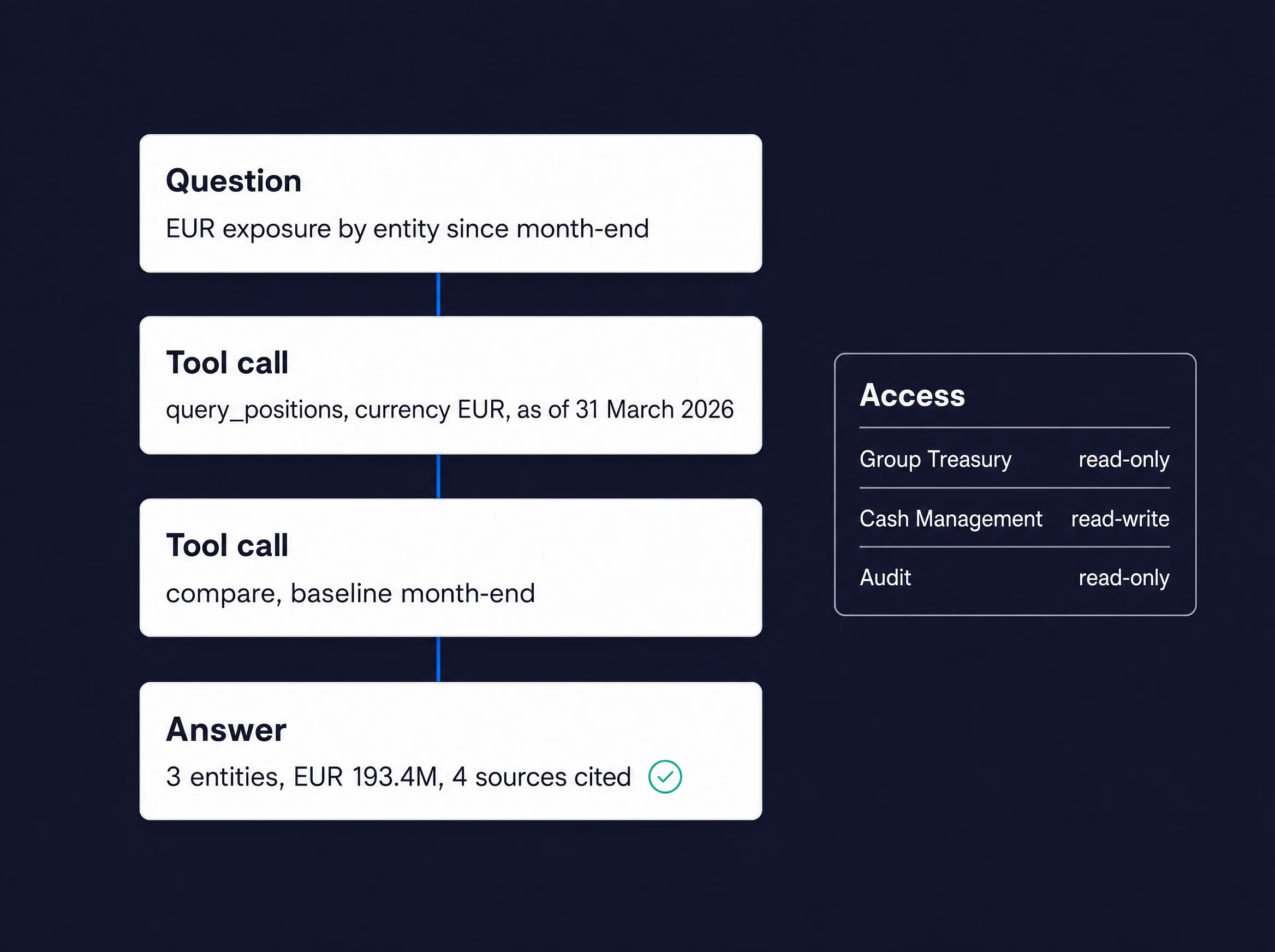
From your systems to an answer in three steps
01
Connect
OmniFi already connects to your TMS, ERP, general ledger, banks and market data — including systems with no AI interface of their own. There is nothing new to integrate.
02
Publish
Choose the data AI may use, publish it as endpoints in OmniFi Access and switch them to MCP-visible. Clear names and descriptions tell the model what each one is for; focused endpoints keep answers precise.
03
Ask
Connect your assistant to the OmniFi MCP server with a personal API token and start asking. The model works only with what you have published.
AI access your security and audit teams can sign off
Nothing is exposed by default
Each endpoint is published to AI individually, with its own MCP-visible switch.
The same permissions as your reports
Answers draw only on data the asking user is entitled to see.
Personal API tokens
Users create their own, administrators see and manage them, and any token can be rotated or revoked at any time.
Your choice of model
OmniFi doesn’t bundle or require one — connect the assistant your organisation has approved.
Every call on the record
Endpoint executions are logged together with the parameters they ran with.
Built on an open standard
OmniFi AI uses the Model Context Protocol (MCP), the open standard for connecting AI assistants to business systems.
AI that runs through the whole platform
Analyse, Forecast and AI
Ask the Datamart how a position or valuation has moved over time.
Reconcile and Control
Ask which breaks are still open, how old they are and who owns them.
Connect and Integrate
Bring systems with no AI interface of their own within reach
FAQs
Any assistant or agent platform that supports the Model Context Protocol, the open standard OmniFi AI is built on — including Claude and Microsoft Copilot.
No. Any report published as an endpoint through OmniFi Access can be made available to AI. The Datamart adds history and time series, so questions about how things have changed get better answers.
No. OmniFi doesn’t include a model of its own. Results go only to the assistant you connect, under your organisation’s agreement with that provider, and only from endpoints you have published.
The MCP server and personal API tokens were introduced in OmniFi v2026.3. Existing customers can upgrade, including straight to hosted OmniFi 365.
The model works from the data you publish, so focused endpoints with clear names and descriptions give the best results. Our consultants help you design them.
Ready to ask your treasury a question?
Book a demo and we’ll connect an AI assistant to live treasury data in front of you — and show you exactly what it can and can’t see.
